Sticker Printer Guide: Which Type Is Right for Your Business?
 THE RPS LLC
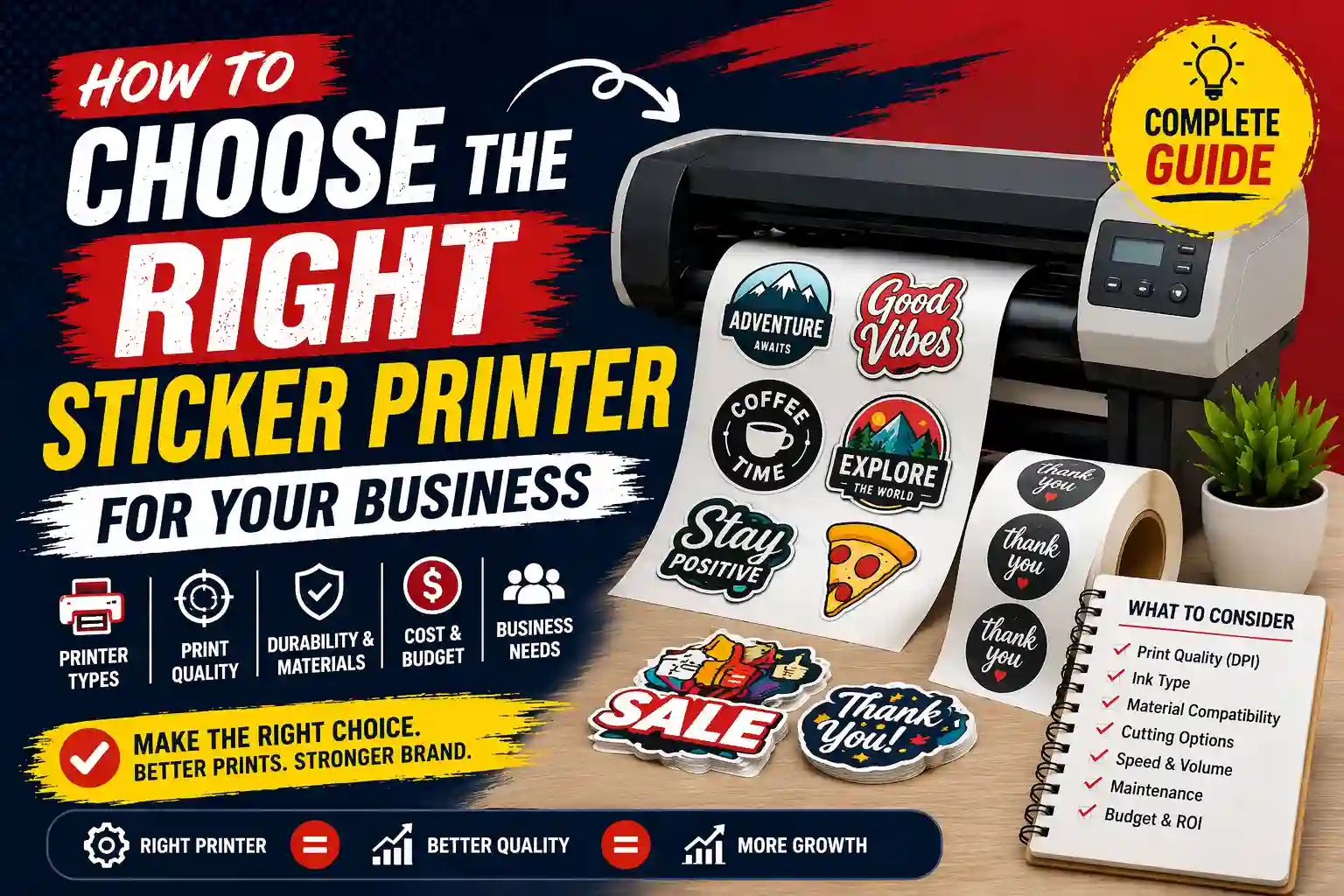
Buying a sticker printer sounds simple until you start comparing machines. One printer promises beautiful photographs. Another prints labels without ink. Another costs thousands but can produce rolls of professional product labels. Then you…
Buying a sticker printer sounds simple until you start comparing machines.
One printer promises beautiful photographs. Another prints labels without ink. Another costs thousands but can produce rolls of professional product labels. Then you discover wide-format vinyl printers, laminators, contour cutters, printable vinyl, clear sticker paper and half a dozen different ink technologies.
The important question is therefore not:
“What is the best sticker printer?”
It is:
“What kind of stickers do I need to produce, how many do I need, and where will they be used?”
A home-based Etsy seller, a cosmetics manufacturer, a warehouse and a vehicle-branding company can all search for a “sticker printer”, yet they may need completely different equipment.
At THE RPS LLC, we produce commercial stickers and vinyl graphics in-house, including product labels, window graphics, wall graphics and vehicle applications. Our experience is that the printer is only one part of the process: the ink, adhesive material, finishing method and cutting workflow matter just as much. Our current sticker production includes professional HP Latex printing and precision cutting equipment.
Quick answer: which sticker printer should you choose?
For small indoor stickers and craft projects, a good colour inkjet printer with compatible printable sticker media may be enough.
For hundreds or thousands of product labels, a dedicated colour label printer is usually a more appropriate category to investigate.
For shipping labels, barcode labels or simple black-and-white labels, a thermal label printer may be more efficient.
For compact photo stickers and casual craft use, dedicated or portable sticker printers can make the process simpler.
For vehicle graphics, shop windows, walls, floor graphics and large commercial decals, you are entering professional wide-format print-and-cut territory.
And if you only need stickers occasionally, buying any printer may cost more than simply outsourcing the work.
What exactly is a sticker printer?
“Sticker printer” is not one specific type of machine.
It is a broad search term that can describe several very different systems.
A standard home inkjet printer can become a sticker printer when used with compatible printable adhesive media.
A dedicated colour-label printer feeds adhesive label rolls and is designed specifically for label production.
A thermal sticker printer uses heat rather than conventional liquid ink.
A small dedicated sticker printer may combine printing, laminating and cutting in one compact machine.
A commercial vinyl printer can print large rolls of adhesive vinyl for windows, walls, signage and vehicles.
That distinction matters because choosing the wrong category can leave you with the wrong media width, durability, colour capability or production speed.
Home inkjet printers for stickers
For small businesses, craft sellers and people producing short runs, an inkjet printer is often the easiest place to begin.
Printable vinyl and sticker sheets designed for inkjet printing can be loaded into compatible home printers and then cut manually or with a cutting machine.
Cricut, for example, produces printable vinyl specifically intended for home inkjet printers and its Print Then Cut workflow. Its cutting machines recognise printed registration information and cut around the printed design.
This setup can work well for:
product packaging stickers
planner and craft stickers
event labels
small promotional stickers
short-run personalised orders
indoor labels
The main limitation is scale.
Printing sheet after sheet on a consumer machine and then transferring each sheet to a cutter becomes slow when quantities increase.
Media compatibility also matters. Never assume that every sheet described online as “sticker paper” is suitable for every printer.
A product designed for an inkjet printer may not be suitable for a laser printer because a laser machine uses a heated fuser. Cricut, for example, explicitly warns that its printable vinyl is for inkjet use and that laser printing may damage the material or printer.
Dedicated sticker printers
The market has changed significantly because there are now machines designed specifically to produce stickers.
Cricut’s current StickerPix Print is a compact dye-sublimation machine for pre-cut stickers and photographs. The StickerPix Print + Cut version adds integrated cutting and can create kiss-cut stickers.
This kind of machine can make sense for someone who values:
easy setup
compact size
integrated workflow
small sticker sheets
photo stickers
crafting and personalisation
However, a compact dedicated sticker printer should not be confused with a commercial production printer.
Its material size, output capacity and media choices are far more limited than industrial label or wide-format equipment.
Colour label printers
A dedicated colour label printer is often a better fit for companies producing product labels repeatedly.
Think about:
food packaging
cosmetics
bottles and jars
pharmaceutical labels
inventory labels
barcodes
short-run product variations
Epson’s ColorWorks C4000, for example, is designed as an on-demand four-colour label printer and supports different label sizes and materials. Epson also offers pigment-based media systems designed to resist smearing, fading and water.
Higher-capacity systems such as the ColorWorks C6500 can print wider colour labels and integrate automatic cutting into the production workflow.
The key advantage is workflow efficiency: these machines are designed around labels rather than treating adhesive media as an occasional speciality sheet.
Thermal sticker printers
A thermal sticker printer serves a completely different purpose.
These machines are usually selected where businesses need simple labels quickly rather than full photographic colour.
Common applications include:
shipping labels
barcodes
warehouse identification
price labels
inventory labels
address labels
Thermal systems can reduce the need for traditional ink cartridges, but the media and output are different from full-colour vinyl sticker printing.
Do not buy a small thermal printer expecting it to replace a full-colour sticker printer for branded packaging, photographs or detailed marketing graphics.
If your primary requirement is shipping and barcodes, thermal may be ideal.
If your requirement is a vibrant brand sticker, look elsewhere.
Mini and portable sticker printers
The searches for “mini sticker printer”, “portable sticker printer” and “mobile sticker printer” represent another distinct audience.
These machines are usually aimed at journalling, organisation, education, events, photographs and hobby projects rather than large commercial sticker production.
Some portable label systems use Bluetooth so labels can be designed from a phone or tablet. Epson, for example, offers compact LabelWorks equipment designed for mobile label printing and automatic cutting.
A mini printer can therefore be useful, but do not evaluate one using the same criteria you would use for an industrial product-label printer or a professional vinyl production system.
Professional vinyl sticker printers
Once stickers become larger, more durable or part of environmental branding, the requirements change.
Commercial printers may need to produce:
window graphics
wall decals
vehicle graphics
floor stickers
large logos
retail graphics
directional stickers
shopfront branding
outdoor decals
This is the area where professional wide-format printers become relevant.
HP’s current Latex systems support self-adhesive vinyl and are specifically positioned for applications including stickers, decals, window graphics, wall décor and vehicle graphics. Latex prints can also come off the printer dry and ready for immediate finishing or lamination.
At THE RPS LLC, this is the category we work with. Our vinyl sticker printing service is produced in-house, and our website currently identifies HP Latex equipment as part of our production setup.
For someone printing several A4 sticker sheets a week, such a system would be excessive.
For a print company producing window graphics, walls, vehicles and commercial decals every day, it is a very different proposition.
What about laser printers for stickers?
Laser printers can print certain adhesive label stocks, but the media must explicitly support laser printing.
Because laser printing uses heat during the fusing process, using an incompatible adhesive sheet can create problems.
That is why the first question should not be “Is laser better than inkjet?”
Ask:
“What media does this particular printer support, and what application am I producing?”
For office labels and compatible label sheets, laser can be practical.
For speciality vinyl, photographic craft stickers or professional wide-format graphics, another system may be more suitable.
Sticker paper for printer: the material matters
People often buy the printer first and then look for whatever sticker paper happens to fit inside it.
That is backwards.
Choose the complete system:
printer technology
ink or toner
media
adhesive
finish
cutting method
application environment
“Sticker paper” itself can refer to very different products.
Paper adhesive sheets are useful for many indoor packaging and labelling applications.
Printable vinyl is a synthetic option used where additional moisture resistance or durability is required.
Clear sticker material is useful where you want the surface beneath the sticker to remain visible.
Speciality materials can include metallic, transparent, removable, permanent or weather-resistant constructions.
Even professional printer manufacturers pair specific inks and media. Epson, for example, offers dedicated label stocks tested with ColorWorks machines, while Cricut specifies printable materials for its inkjet workflows.
So do not ask only:
“Will this sheet fit?”
Ask:
“Is this material designed for my printer technology and final use?”
Are vinyl stickers automatically waterproof?
Not necessarily.
The finished durability depends on the printable vinyl, ink system, laminate where required, exposure and manufacturer specification.
Some consumer sticker systems rely on an additional laminate to create waterproof and UV-resistant output. Cricut’s waterproof sticker set, for example, combines printable vinyl with a laminate layer.
Professional label systems can also produce water-resistant results with suitable pigment ink and compatible synthetic media.
For commercial vinyl graphics, printer manufacturers such as HP specify dedicated workflows for self-adhesive vinyl and applications such as windows and vehicle wraps.
That is why “vinyl = waterproof” is too simplistic.
Always check the actual material and ink specification.
Die-cut vs kiss-cut stickers
Printing is only half the job.
The sticker also needs to be cut.
A die-cut sticker is cut through the sticker material and backing so the final piece follows its finished shape.
A kiss-cut sticker is cut through the face material while leaving the backing intact.
Die-cut pieces are excellent when you want individual stickers that look finished on their own.
Kiss-cutting is useful for sticker sheets, easier handling and designs that need to stay together on a backing sheet.
Neither is automatically better.
The correct choice depends on how the stickers will be stored, distributed, applied and sold.
Professional print-and-cut systems support contour cutting as part of the sticker-production workflow, while small consumer machines may offer their own version of Print Then Cut or integrated kiss cutting.
Do not choose a sticker printer based on DPI alone
DPI looks impressive in a product listing, but it should not make the decision for you.
A printer’s real-world result is affected by:
the printhead technology
ink formulation
media coating
colour management
artwork quality
print mode
viewing distance
finishing
A compact current-generation sticker printer can produce its intended output at 300 DPI, while professional colour-label systems may offer considerably higher resolutions. Those figures describe different machines designed for different jobs.
Instead of chasing the largest DPI number, request samples and inspect:
small text
solid colours
gradients
skin tones
fine lines
black density
edge sharpness
colour consistency
A print sample tells you more than a specification box.
Colour matters more than most first-time buyers expect
A business logo should not change dramatically every time you print another batch.
For professional work, colour consistency can therefore matter more than maximum advertised resolution.
Dedicated commercial label systems can include ICC-profile and spot-colour matching tools, while wide-format systems use their own colour-management workflows. Epson specifically highlights colour matching on its professional ColorWorks range.
If you are printing casual craft stickers, perfect repeatability may not matter.
If you are producing packaging for 20 retail stores, it probably does.
Cutting equipment may be as important as the printer
A beautiful print with a poor contour cut still looks unprofessional.
Before buying a printer, decide whether you also need:
manual cutting
a desktop cutting machine
an integrated cutter
a separate commercial plotter
sheet cutting
roll-to-roll contour cutting
Our own production setup combines large-format printing with professional cutting because commercial graphics frequently require both stages.
If your project involves custom-shaped stickers rather than simple rectangles, budget for the cutting workflow from the beginning.
Should a small business buy an Epson EcoTank for sticker printing?
An EcoTank is an inkjet printer, not a dedicated commercial sticker-production platform.
Some EcoTank models support several paper and photo-media types, but compatibility varies by exact model, feed system and media thickness. Epson publishes specific supported media types for each machine.
So the correct question is not:
“Can EcoTank printers print stickers?”
It is:
“Does my exact EcoTank model support the particular printable adhesive media I want to use?”
Check the printer manual and the sticker-media manufacturer’s compatibility information before purchasing large quantities of material.
When does printing stickers in-house make sense?
Buying your own printer can make sense when:
you print frequently
your designs change constantly
you need on-demand output
quantities are predictable
you have someone who can maintain the equipment
you have space for printing and finishing
you can justify the consumables and equipment cost
The calculation should include more than the purchase price.
Consider:
printer
ink or toner
sticker material
laminate
cutting equipment
replacement blades
cleaning and maintenance
waste
failed prints
software
operator time
A cheap printer can become expensive if your production process wastes material or requires constant manual work.
When is outsourcing smarter?
Professional sticker printing can make more sense when:
you print occasionally
you need many different materials
you need large-format vinyl
you need professional contour cutting
you need white ink or speciality output
you need vehicle, wall or window installation
you cannot justify production equipment
you need a large order quickly
For example, buying a professional wide-format system simply to produce a few batches of vehicle decals per year would rarely be a sensible comparison with outsourcing.
Our large-format printing guide explains how commercial wide-format equipment is used for applications such as vehicle wraps, wall graphics, window decals and large advertising graphics.
Which sticker printer is right for product packaging?
For a very small number of labels, a compatible inkjet printer and printable adhesive sheets can be enough.
For regular product production, investigate dedicated colour-label equipment.
Focus on:
label size
roll or sheet requirement
monthly volume
water resistance
colour accuracy
barcode requirements
cutting
adhesive type
cost per label
Companies producing many different SKUs may particularly benefit from printing colour labels on demand instead of holding large stocks of pre-printed labels.
Which sticker printer is right for cars and vehicle graphics?
A desktop sticker printer is not designed to produce full vehicle graphics.
Vehicle branding requires large-format self-adhesive material, appropriate ink, lamination where required, contour cutting and professional installation.
HP publishes a dedicated vehicle-wrapping workflow for its Latex production systems using self-adhesive vinyl.
You can also see how we use this type of production for vehicle branding in Dubai.
Which sticker printer is right for shop windows?
Small promotional window decals can sometimes be produced with desktop systems.
Large shopfront graphics, transparent films, one-way vision and full-window campaigns generally belong in the professional large-format category.
White ink may also become important when printing on clear or coloured media. Current HP Latex systems, for example, include white-ink configurations for sticker and window applications.
For a real example of commercial transparent material, see our ultra-clear glass sticker printing page.
The best sticker printer is the one that fits your workflow
There is no universal winner.
A $200–$500 desktop setup may be perfect for an artist printing small sheets.
A dedicated colour-label machine may be better for a food or cosmetics manufacturer.
A thermal printer may be ideal for shipping labels.
A compact dedicated sticker printer may be ideal for crafts and photographs.
A commercial wide-format system is appropriate for businesses producing window graphics, wall graphics, decals and vehicle branding.
The mistake is comparing all of them as though they perform the same job.
Before buying anything, write down:
what you are printing
the smallest and largest sticker size
how many you expect to print each month
whether you need colour
whether you need waterproof or outdoor durability
whether you need white ink
whether you need custom cutting
whether you need lamination
whether the stickers will go on packaging, walls, glass or vehicles
Once you answer those questions, the printer category usually becomes much clearer.
Should you buy a sticker printer or use a professional printer?
If you produce simple stickers every day and control of turnaround is important, bringing production in-house can make sense.
If you need specialised materials, large graphics, colour consistency, cutting, installation or occasional bulk runs, outsourcing may be more economical.
At THE RPS LLC, we provide custom vinyl sticker printing, self-adhesive sticker printing and professional large-format graphics from our Dubai production facility. Our current setup includes HP Latex wide-format printing and precision cutting equipment.
That means we can also help businesses determine whether a particular sticker needs paper, vinyl, clear material, removable adhesive, permanent adhesive or a larger-format production method.
Frequently asked questions
Can a normal printer print stickers?
Yes, some standard inkjet and laser printers can print compatible adhesive sheets. You must use media designed for the exact printer technology and stay within the printer manufacturer’s supported media specifications. Cricut’s printable vinyl, for example, is specifically intended for compatible inkjet workflows.
What is the best sticker printer for a small business?
There is no single best option. A home inkjet setup may suit low-volume craft stickers; a colour label printer may be better for recurring product labels; thermal equipment may suit shipping labels; and wide-format equipment is appropriate for commercial vinyl graphics.
What is the best printer for vinyl stickers?
For small printable-vinyl sheets, a compatible inkjet printer may work. For professional roll-fed vinyl decals, windows, walls or vehicles, commercial wide-format equipment is more appropriate. HP’s Latex range, for example, is designed for self-adhesive vinyl and commercial sticker applications.
Can I use sticker paper in an inkjet printer?
Yes, provided the sticker paper is specifically made for inkjet printing and your printer supports its size and thickness.
Can sticker paper go through a laser printer?
Only use adhesive sheets specifically rated for laser printers. Do not assume inkjet printable vinyl can be used in a laser machine; some manufacturers explicitly warn against it.
Do I need a cutting machine to make stickers?
Not for simple rectangular labels or pre-cut label stock. Custom shapes generally require manual cutting, an electronic cutting machine or commercial contour-cutting equipment.
Is a thermal printer good for colourful stickers?
A conventional thermal label printer is primarily aimed at functional labels rather than photographic full-colour branding. For full-colour promotional stickers, use a colour-capable printing system.
Are printable vinyl stickers waterproof?
Some are water-resistant or waterproof only when paired with the correct ink and/or laminate. Always follow the media manufacturer’s specification rather than assuming every product labelled “vinyl” has the same durability.
Do professional stickers need lamination?
Not every sticker does. Lamination can improve scratch resistance, weather protection and handling durability, but whether it is required depends on the ink, media and application. HP Latex output, for example, can be immediately laminated where the application requires it.
Should I outsource sticker printing instead of buying a machine?
If your volumes are low, your applications vary greatly or you need wide-format printing, finishing and installation, outsourcing can avoid the capital cost and learning curve of running professional equipment.
Excellent print is never accidental. It comes from the right material, careful preparation and consistent production.
THE RPS LLC Production Team
Recommended for You
 Jobs
JobsLarge Format Machine Operator Jobs in Dubai | Printing & Applicator Careers
→ Jobs
JobsSales Jobs in Dubai | Printing & Branding Sales Careers
→ large format printing
Double-Sided Window Stickers Dubai: Printing, Materials & Installation Guide
→ General
